
Skip to content
Grafica Group logo Grafica Blog Grafica Blog

Case studies and notes from Grafica's work

Grafica Group logo Grafica Blog Grafica Blog

Case studies and notes from Grafica's work

  • Services
  • Work
  • Approach
  • About
  • Blog
  • Contact
  • Services
  • Work
  • Approach
  • About
  • Blog
  • Contact
Close

Search

Let's talk
Grafica Group logo Grafica Blog Grafica Blog

Case studies and notes from Grafica's work

Grafica Group logo Grafica Blog Grafica Blog

Case studies and notes from Grafica's work

  • Services
  • Work
  • Approach
  • About
  • Blog
  • Contact
  • Services
  • Work
  • Approach
  • About
  • Blog
  • Contact
Close

Search

Let's talk
Home/How-to/Between phone and desktop: the screen widths nobody checks
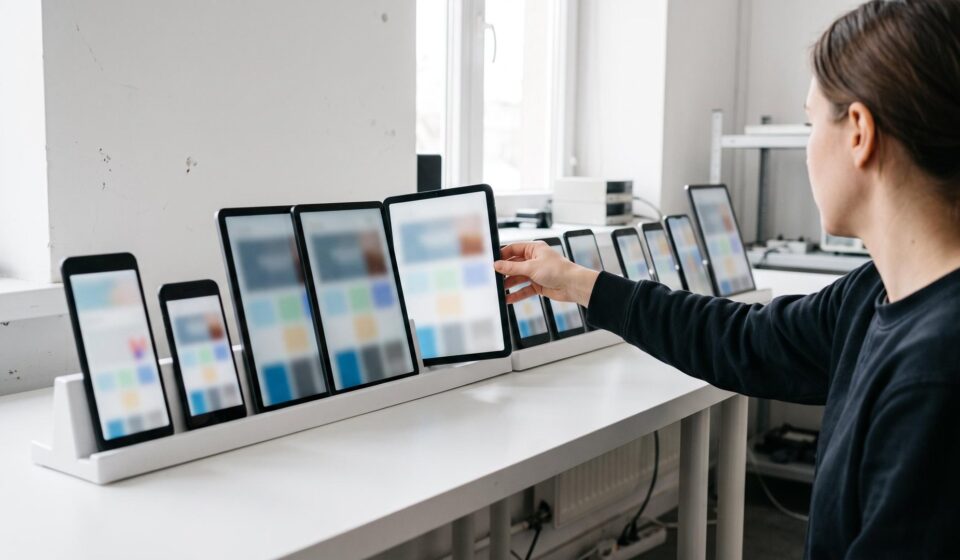
A young test engineer turns one tablet in a long row of phones and tablets of every size, standing upright on a white bench in a bright testing room.
How-to

Between phone and desktop: the screen widths nobody checks

By Luis Gallego
October 17, 2026 2 Min Read

Image generated with AI. Art direction: Grafica.

Responsive design testing often means two checks before launch: a phone and a laptop. A page can pass both and still break for everyone in between: a tablet held upright, a phone turned sideways, a browser window dragged narrow on a desktop.

On 12 October 2026 we read our own contact page at every width from 320 to 1440 pixels, eight pixels apart, loading it fresh each time: 141 readings. At 133 the page fit the screen. At eight it did not. From 528 to 568 pixels, and again at 864 and 872, the form ran past the right edge by up to 44 pixels, so the page was wider than the screen. At phone and laptop widths it fit.

We fixed it before this post went out.

Why the middle breaks

A layout is usually designed for a few target screens and told where to switch from one arrangement to the next. The switch points are where things break: a form changing from two columns to one, a picture losing its margin, a title drifting to the edge. The large picture at the top of our blog’s front page had no side margin between 601 and 1024 pixels until a review by eye caught it on 10 October.

How to check yours

  1. Open the page in Chrome, open the developer tools and turn on the device toolbar. Choose «Responsive», so you can type any width.
  2. Go from 320 to 1440 pixels in steps of 8 or less; a break can be narrow. Ours showed at 864 and 872 and was gone at 856 and 880. Reload the page at each width; some layouts only rearrange when the page loads.
  3. At each width, look for a sideways scroll bar, text touching an edge, and anything cut off on the right.
  4. Where something breaks, narrow it down to the width where it starts and the width where it stops. That range is what you hand to whoever fixes it.
  5. Start with the pages that earn money: the contact form, the checkout, the booking page.

The reload in step 2 matters. When we first measured by resizing one open page instead of loading it fresh, our mortgage calculator appeared to overflow by up to 741 pixels. Loaded fresh at 375, 768, 1072 and 1440 pixels, it fit. A check that cannot tell those two apart is measuring itself, not the page.

If you want your site read at every width before your next launch, talk to us.

How likely are you to recommend this article to a colleague?
0 · Not at all likely10 · Extremely likely

Gráfica built this survey as a WordPress plugin, and builds plugins like it for clients. Tell us what your site needs


Author

Luis Gallego

Published by Grafica, a design, branding, web development and marketing consultancy with global reach. Since 2012.

Follow Me
Other Articles
An agency owner pins the third of three blank cards to a cork strip above her desk; the first two were redone.
Previous

Three rules our AI works under, and the mistake behind each

A young accessibility tester presses a key on a laptop with blank keys; on the screen a bright outline marks the one block the keyboard focus has reached.
Next

Four accessibility checks a free scanner cannot settle

No Comment! Be the first one.

Leave a Reply Cancel reply

Your email address will not be published. Required fields are marked *

Luis Gallego

Luis Gallego

Hi, I’m Luis. I founded Grafica in 2012 and I have designed and built websites ever since: hundreds of them.

I sign every post here. They come from the work we do for clients.

Book a call

Recent Posts

  • A carpenter kneels at a restaurant doorway and screws a pale oak ramp over the stone step while the owner, in a violet sweater, holds the door open.
    An accessibility widget is not compliance
    by Luis Gallego
    October 19, 2026
  • A man in glasses looking at a wall of glowing blue data screens
    How to scale your agency in 2026? Grafica’s guide to White Label Partnerships
    by Luis Gallego
    December 31, 2025
  • A smiling woman leaning back, hands behind her head, at her laptop
    The Invisible Powerhouse. How agencies scale with less risk.
    by Luis Gallego
    March 31, 2026
  • A hand reaching toward a glowing shopping-cart icon above a laptop
    “The problem wasn’t the images”, A WooCommerce Website Migration Story.
    by Luis Gallego
    July 30, 2026

Search

What we build with

The tools behind our work.

Design

  • Figma
  • Adobe Creative Cloud

Build

  • WordPress
  • WooCommerce
  • ACF
  • Elementor
  • Avada
  • Blogsy
  • Newspack
  • HTML
  • CSS
  • JavaScript
  • PHP
  • SQL
  • Python
  • GitHub
  • Apify
  • BrowserStack

Hosting

  • Kinsta
  • Cloudflare
  • Google Cloud
  • Hetzner
  • AWS

Security and monitoring

  • 1Password
  • Splunk
  • Chronicle
  • HetrixTools
  • Shodan
  • Tailscale

Marketing and ads

  • HubSpot
  • Google AdSense
  • Google Ad Manager
  • Google Tag Manager
  • Google Analytics
  • Search Console
  • Yoast SEO
  • Ahrefs

AI

  • Claude
  • Gemini
  • ChatGPT
  • Antigravity
  • DeepSeek

Work

  • Asana
  • Trello
  • Zoho
  • Clockify
  • Google Workspace
  • Slack

Each mark is its maker’s own and belongs to its maker. HTML5 logo by W3C, CC BY 3.0. PHP logo by Colin Viebrock, CC BY-SA 4.0. Hetzner logo: source Hetzner Online GmbH.

Kinsta Select Partner: our listing in Kinsta’s agency directory

A design, branding, web development and marketing consultancy with global reach.

Design meets your vision.

Explore
  • Home
  • Services
  • Work
  • Approach
  • About
  • For agencies
  • Blog
  • Contact
Showcase
  • Case studies
  • Migrations
  • Brands
  • Demos
  • AI X-Ray
Connect
  • Kinsta Select Partner
  • info@grafica.group
  • +504 9960 1911
  • LinkedIn
  • Instagram
  • Facebook
© 2026 Grafica Group. All rights reserved. Privacy · grafica.group