
Skip to content
Grafica Group logo Grafica Blog Grafica Blog

Case studies and notes from Grafica's work

Grafica Group logo Grafica Blog Grafica Blog

Case studies and notes from Grafica's work

  • Services
  • Work
  • Approach
  • About
  • Blog
  • Contact
  • Services
  • Work
  • Approach
  • About
  • Blog
  • Contact
Close

Search

Let's talk
Grafica Group logo Grafica Blog Grafica Blog

Case studies and notes from Grafica's work

Grafica Group logo Grafica Blog Grafica Blog

Case studies and notes from Grafica's work

  • Services
  • Work
  • Approach
  • About
  • Blog
  • Contact
  • Services
  • Work
  • Approach
  • About
  • Blog
  • Contact
Close

Search

Let's talk
Home/How-to/An accessibility widget is not compliance
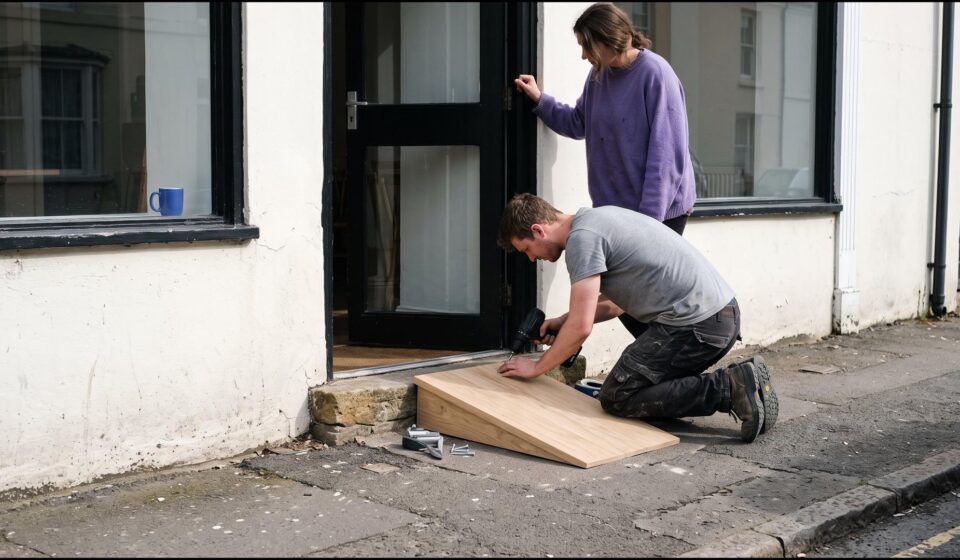
A carpenter kneels at a restaurant doorway and screws a pale oak ramp over the stone step while the owner, in a violet sweater, holds the door open.
How-to

An accessibility widget is not compliance

By Luis Gallego
October 19, 2026 3 Min Read

Image generated with AI. Art direction: Grafica.

A small toolbar in the corner of a website, behind a round icon, is sold as the quick way to make a site accessible, and sometimes as the way to make it compliant. My position is simple: an accessibility widget does not make a site compliant. I built hospitality websites to the WCAG standard for years and carried out ADA audits. This is why, and what to do instead.

What a widget is

It is a script added to your pages. It loads after the page does and gives visitors a menu: larger text, higher contrast, paused animations. Some versions also try to repair the page as it loads, by guessing a description for a picture or a name for a button.

Why it cannot be compliance

The standard, the Web Content Accessibility Guidelines (WCAG), is about what the page itself does. Does the description of a photo say what the photo is there to tell you? Does every form field have a name? Can a keyboard reach every button, in a sensible order, with the focus visible? Does a video have captions? Those answers live in the page’s code and content.

A script can change how a page looks. It cannot know what your menu photo is meant to say, which of two buttons books the table, or what is said in your video. Those answers come from the people who made the page. A guess at them is still a guess, and a page that depends on a guess cannot be relied on to meet the standard.

There is a second problem. Many of the people a widget claims to serve already use their own tools, such as a screen reader, a magnifier, the browser’s zoom or the keyboard, set up the way they need them. A toolbar on one site often repeats what they already have.

Not only my view

More than a thousand people have signed the Overlay Fact Sheet, a public statement that says no overlay product «can cause a website to become fully compliant».

In April 2025 the US Federal Trade Commission approved a final order requiring one widget maker to pay $1 million. The FTC’s complaint alleged that the company’s claim, that its tool could make any website WCAG compliant, was false. The order bars the company from making such claims without evidence to support them (FTC press release, 22 April 2025).

How we fix things on our own sites

Neither grafica.group nor this blog loads a widget. When we scanned this blog’s front page and then tabbed through it, we found ten picture links with no name, four slider buttons pointing at an element that did not exist, and ten Tab presses lost on a copy of the header placed off the screen. We wrote about those checks. Each fix went into the site’s code, so it works for every visitor, with every tool, and nothing has to load first for it to work.

If you already have a widget

  • Do not count it as your accessibility work, and do not describe your site as compliant because of it.
  • Go through your main pages with the keyboard alone, with the widget on and off. Every press should land on something you can see, and the widget should not get in the way.
  • Fix the page itself: a description for each picture that carries meaning, a name for each field and button, headings in order, enough contrast, captions on video.
  • Publish an accessibility statement with a way to reach a person who can help.

Whether to keep the widget is your decision. What it cannot be is the plan. If you have received a letter about your site, talk to a lawyer; this post is not legal advice.

Accessibility is built into a page from its design, checked by a person, and checked again after every change. If you want your site reviewed that way, talk to us.

How likely are you to recommend this article to a colleague?
0 · Not at all likely10 · Extremely likely

Gráfica built this survey as a WordPress plugin, and builds plugins like it for clients. Tell us what your site needs


Author

Luis Gallego

Published by Grafica, a design, branding, web development and marketing consultancy with global reach. Since 2012.

Follow Me
Other Articles
A young accessibility tester presses a key on a laptop with blank keys; on the screen a bright outline marks the one block the keyboard focus has reached.
Previous

Four accessibility checks a free scanner cannot settle

No Comment! Be the first one.

Leave a Reply Cancel reply

Your email address will not be published. Required fields are marked *

Luis Gallego

Luis Gallego

Hi, I’m Luis. I founded Grafica in 2012 and I have designed and built websites ever since: hundreds of them.

I sign every post here. They come from the work we do for clients.

Book a call

Recent Posts

  • A carpenter kneels at a restaurant doorway and screws a pale oak ramp over the stone step while the owner, in a violet sweater, holds the door open.
    An accessibility widget is not compliance
    by Luis Gallego
    October 19, 2026
  • A man in glasses looking at a wall of glowing blue data screens
    How to scale your agency in 2026? Grafica’s guide to White Label Partnerships
    by Luis Gallego
    December 31, 2025
  • A smiling woman leaning back, hands behind her head, at her laptop
    The Invisible Powerhouse. How agencies scale with less risk.
    by Luis Gallego
    March 31, 2026
  • A hand reaching toward a glowing shopping-cart icon above a laptop
    “The problem wasn’t the images”, A WooCommerce Website Migration Story.
    by Luis Gallego
    July 30, 2026

Search

What we build with

The tools behind our work.

Design

  • Figma
  • Adobe Creative Cloud

Build

  • WordPress
  • WooCommerce
  • ACF
  • Elementor
  • Avada
  • Blogsy
  • Newspack
  • HTML
  • CSS
  • JavaScript
  • PHP
  • SQL
  • Python
  • GitHub
  • Apify
  • BrowserStack

Hosting

  • Kinsta
  • Cloudflare
  • Google Cloud
  • Hetzner
  • AWS

Security and monitoring

  • 1Password
  • Splunk
  • Chronicle
  • HetrixTools
  • Shodan
  • Tailscale

Marketing and ads

  • HubSpot
  • Google AdSense
  • Google Ad Manager
  • Google Tag Manager
  • Google Analytics
  • Search Console
  • Yoast SEO
  • Ahrefs

AI

  • Claude
  • Gemini
  • ChatGPT
  • Antigravity
  • DeepSeek

Work

  • Asana
  • Trello
  • Zoho
  • Clockify
  • Google Workspace
  • Slack

Each mark is its maker’s own and belongs to its maker. HTML5 logo by W3C, CC BY 3.0. PHP logo by Colin Viebrock, CC BY-SA 4.0. Hetzner logo: source Hetzner Online GmbH.

Kinsta Select Partner: our listing in Kinsta’s agency directory

A design, branding, web development and marketing consultancy with global reach.

Design meets your vision.

Explore
  • Home
  • Services
  • Work
  • Approach
  • About
  • For agencies
  • Blog
  • Contact
Showcase
  • Case studies
  • Migrations
  • Brands
  • Demos
  • AI X-Ray
Connect
  • Kinsta Select Partner
  • info@grafica.group
  • +504 9960 1911
  • LinkedIn
  • Instagram
  • Facebook
© 2026 Grafica Group. All rights reserved. Privacy · grafica.group