Skip to content
Grafica Group logo Grafica Blog Grafica Blog

Case studies and notes from Grafica's work

Grafica Group logo Grafica Blog Grafica Blog

Case studies and notes from Grafica's work

  • Services
  • Work
  • Approach
  • About
  • Blog
  • Contact
  • Services
  • Work
  • Approach
  • About
  • Blog
  • Contact
Close

Search

Let's talk
Grafica Group logo Grafica Blog Grafica Blog

Case studies and notes from Grafica's work

Grafica Group logo Grafica Blog Grafica Blog

Case studies and notes from Grafica's work

  • Services
  • Work
  • Approach
  • About
  • Blog
  • Contact
  • Services
  • Work
  • Approach
  • About
  • Blog
  • Contact
Close

Search

Let's talk
Home/How-to/What Google Discover asks of a page: three checks, run on our own 15 posts
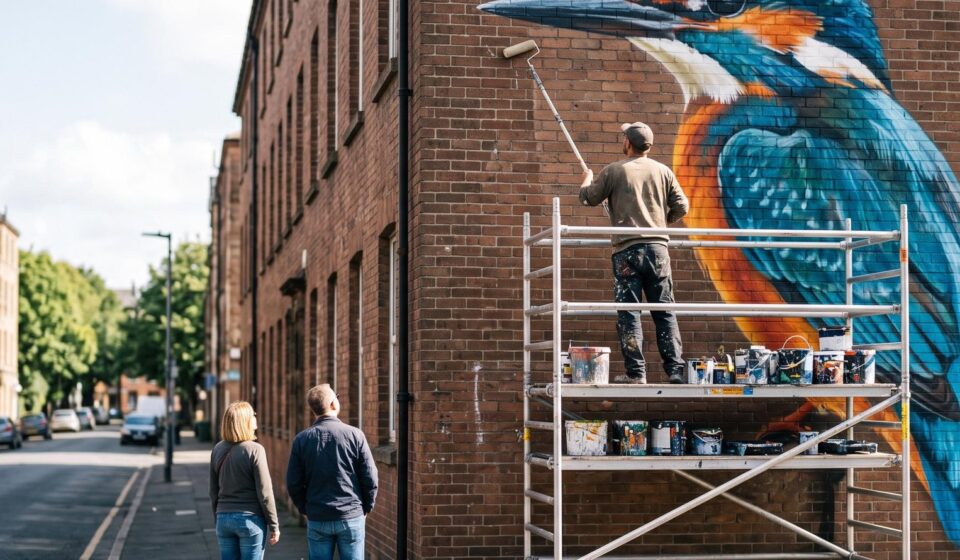
A painter on a scaffold tower, seen from behind, rolling paint onto a large mural of a kingfisher on a brick gable wall, while two passers-by on the pavement stop to look up at it.
How-to

What Google Discover asks of a page: three checks, run on our own 15 posts

By Luis Gallego
October 11, 2026 3 Min Read

Image generated with AI. Art direction: Grafica.

Google Discover is the feed of articles in the Google app and on many Android home screens. The reader does not search for anything. Google decides what appears. Because of that, it matters what a setup can and cannot deliver.

Three checks · our own 15 posts

On Google13 of 15

2 not indexed yet that day

Large preview allowed15 of 15

max-image-preview: large

Main image 1200 px or wider15 of 15

12 at 1600 px · 3 at 2500 px

Shown in Discover

0 impressions
29 Sep to 6 Oct 2026

Eligible does not mean chosen.

blog.grafica.group · read signed out and in our own Search Console account, 9 October 2026

What Google asks for

Google’s page on Discover, last updated on 9 March 2026, is short. A page can appear if Google has indexed it and it meets Discover’s content policies. No special tag or structured data is needed.

It then recommends, without requiring them, three things about images: an image at least 1200 pixels wide, a setting that allows large previews, and a picture that represents the article and is not the site’s logo. It also says that being eligible is no promise of being shown.

Our own reading

On 9 October 2026 we read the 15 posts this blog held that day from outside, signed out, and then in Search Console.

  • On Google: 13 of 15. The other 2 were unknown to Google that day, one of them published that day. Those 2 cannot appear in Discover until they are indexed. This check comes first.
  • Large preview allowed: 15 of 15.
  • Main image: 1600 pixels wide or more on all 15. All above the 1200 Google recommends.

Search Console’s Discover report for this site, covering 29 September to 6 October 2026, showed 0 impressions.

That zero is not a verdict on the posts. The report ends on 6 October, three days before our reading. It is a starting line, not a result: 13 pages on Google with the settings in place, and no evidence yet that any has been shown. Eligible does not mean chosen.

Update, 10 October 2026: we read Search Console again. Both posts that were unknown to Google on 9 October are now on Google, and the Discover report, which now runs from 29 September to 8 October, still shows 0 impressions.

The part no setting gives

My position: a website has become cheaper to start and no cheaper to get right, and I read Discover the same way. The settings take an afternoon. Whether Google shows an article depends on the article and on who reads it, and that takes longer than an afternoon.

So I distrust anyone who sells Discover as a configuration. Our case study of a site whose first build took one day with AI tools makes the same point about speed: the first build was the fast part, and two more days of guidance made the finished site.

Three checks you can run on one page

  • In Search Console, paste the address into URL inspection. If the page is not on Google, nothing else on this list matters yet.
  • View the page source and search for max-image-preview. It should read «large».
  • In the same source, search for og:image:width. Many sites declare their main image’s width there. The number should be 1200 or more, and the picture should not be your logo.

If all three pass, the main configuration is in place. Ask whoever offers you more of it what, exactly, is left to configure.

How likely are you to recommend this article to a colleague?
0 · Not at all likely10 · Extremely likely

Gráfica built this survey as a WordPress plugin, and builds plugins like it for clients. Tell us what your site needs


Tags:

Web Development
Author

Luis Gallego

Published by Grafica, a design, branding, web development and marketing consultancy with global reach. Since 2012.

Follow Me
Other Articles
A café owner in an apron, seen over the shoulder, tapping a toggle switch on a tablet that stands on a wooden counter, with an espresso machine behind.
Previous

Is your WordPress RSS feed switched off? One setting had removed ours

A football referee in black, seen from behind, holds a yellow card high above his head on a grass pitch while players in red and blue walk away.
Next

Does Google penalize AI-written posts? What its rule says, and what our own account shows

No Comment! Be the first one.

Leave a Reply Cancel reply

Your email address will not be published. Required fields are marked *

Luis Gallego

Luis Gallego

Hi, I’m Luis. I founded Grafica in 2012 and I have designed and built websites ever since: hundreds of them.

I sign every post here. They come from the work we do for clients.

Book a call

Recent Posts

  • A carpenter kneels at a restaurant doorway and screws a pale oak ramp over the stone step while the owner, in a violet sweater, holds the door open.
    An accessibility widget is not compliance
    by Luis Gallego
    October 19, 2026
  • A man in glasses looking at a wall of glowing blue data screens
    How to scale your agency in 2026? Grafica’s guide to White Label Partnerships
    by Luis Gallego
    December 31, 2025
  • A smiling woman leaning back, hands behind her head, at her laptop
    The Invisible Powerhouse. How agencies scale with less risk.
    by Luis Gallego
    March 31, 2026
  • A hand reaching toward a glowing shopping-cart icon above a laptop
    “The problem wasn’t the images”, A WooCommerce Website Migration Story.
    by Luis Gallego
    July 30, 2026

Search

What we build with

The tools behind our work.

Design

  • Figma
  • Adobe Creative Cloud

Build

  • WordPress
  • WooCommerce
  • ACF
  • Elementor
  • Avada
  • Blogsy
  • Newspack
  • HTML
  • CSS
  • JavaScript
  • PHP
  • SQL
  • Python
  • GitHub
  • Apify
  • BrowserStack

Hosting

  • Kinsta
  • Cloudflare
  • Google Cloud
  • Hetzner
  • AWS

Security and monitoring

  • 1Password
  • Splunk
  • Chronicle
  • HetrixTools
  • Shodan
  • Tailscale

Marketing and ads

  • HubSpot
  • Google AdSense
  • Google Ad Manager
  • Google Tag Manager
  • Google Analytics
  • Search Console
  • Yoast SEO
  • Ahrefs

AI

  • Claude
  • Gemini
  • ChatGPT
  • Antigravity
  • DeepSeek

Work

  • Asana
  • Trello
  • Zoho
  • Clockify
  • Google Workspace
  • Slack

Each mark is its maker’s own and belongs to its maker. HTML5 logo by W3C, CC BY 3.0. PHP logo by Colin Viebrock, CC BY-SA 4.0. Hetzner logo: source Hetzner Online GmbH.

Kinsta Select Partner: our listing in Kinsta’s agency directory

A design, branding, web development and marketing consultancy with global reach.

Design meets your vision.

Explore
  • Home
  • Services
  • Work
  • Approach
  • About
  • For agencies
  • Blog
  • Contact
Showcase
  • Case studies
  • Migrations
  • Brands
  • Demos
  • AI X-Ray
Connect
  • Kinsta Select Partner
  • info@grafica.group
  • +504 9960 1911
  • LinkedIn
  • Instagram
  • Facebook
© 2026 Grafica Group. All rights reserved. Privacy · grafica.group