

Skip to content
Grafica Group logo Grafica Blog Grafica Blog

Case studies and notes from Grafica's work

Grafica Group logo Grafica Blog Grafica Blog

Case studies and notes from Grafica's work

  • Services
  • Work
  • Approach
  • About
  • Blog
  • Contact
  • Services
  • Work
  • Approach
  • About
  • Blog
  • Contact
Close

Search

Let's talk
Grafica Group logo Grafica Blog Grafica Blog

Case studies and notes from Grafica's work

Grafica Group logo Grafica Blog Grafica Blog

Case studies and notes from Grafica's work

  • Services
  • Work
  • Approach
  • About
  • Blog
  • Contact
  • Services
  • Work
  • Approach
  • About
  • Blog
  • Contact
Close

Search

Let's talk
Home/How-to/A backup that expires is a deadline: ours reads 4 November
How-to

A backup that expires is a deadline: ours reads 4 November

By Luis Gallego
October 25, 2026 2 Min Read

Most people think of a backup as something that is simply there. A manual backup on our host, Kinsta, is not: it has an expiry date. Ours reads 4 November 2026, and this is what we did about it, so you can do the same with yours.

Whose backup it is

Our blog’s staging environment on Kinsta once held another site: the old version of grafica.group. When staging was turned into a copy of the blog, we took a manual backup on Kinsta first. That backup became the only copy of the old site anywhere, and the backups page showed the date it would expire.

Download and backup are not the same thing

The obvious plan was to download it and keep it on our own drive. It did not work that way. The host’s download button builds an archive of an environment as it is now, not of an old backup. The old backup offered one action only: restore it to staging.

So on 6 October we did it in four steps:

  1. Took a fresh backup of staging as it was, so we could put it back.
  2. Restored the old site’s backup to staging.
  3. Created the download of staging, which was now the old site, and saved it to our own drive.
  4. Restored staging to what it was before.

How we know the archive is the old site

A file called «backup» proves nothing. We recorded the archive’s size, about 500 MB, and its SHA-256 checksum, a fingerprint that changes if a single byte does, and computed it again on a second machine. Then we looked inside: the old site’s theme and its old homepage line were there, and the blog’s theme was not. Only then did we call it kept.

The host’s own copy still expires on 4 November. Ours does not.

Check yours this week

  • Find every backup that is not automatic. Manual backups, backups taken before a migration, exports a previous developer made. Write down where each one is and when it expires.
  • Ask what «download» gives you. Today’s site, or the backup you are looking at? Ask before you need it.
  • Keep one copy you control, with its date and checksum written next to it.
  • Open the copy. A backup you have never opened is a hope, not a backup.
  • Put the date in a calendar a week before the expiry, with the decision written in it: keep or let go.

We follow the same rule in our maintenance routine: the backup’s time goes on the sheet before the first edit, and on our own blog’s last fix pass we wrote its expiry date next to it. The rest of that routine is in How we maintain WordPress sites on Kinsta. If you are not sure what your site’s backups would give you on a bad day, talk to us.

How likely are you to recommend this article to a colleague?
0 · Not at all likely10 · Extremely likely

Gráfica built this survey as a WordPress plugin, and builds plugins like it for clients. Tell us what your site needs

Author

Luis Gallego

Published by Grafica, a design, branding, web development and marketing consultancy with global reach. Since 2012.

Follow Me
Other Articles
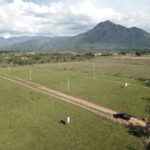
Aerial photograph of the El Volcán land in Ayapa, Yoro: open dirt streets and marker posts across green lots, a mountain behind.
Previous

Friday, a screenshot. Sunday, a website with 61 lots on a map.

No Comment! Be the first one.

Leave a Reply Cancel reply

Your email address will not be published. Required fields are marked *

Luis Gallego

Luis Gallego

Hi, I’m Luis. I founded Grafica in 2012 and I have designed and built websites ever since: hundreds of them.

I sign every post here. They come from the work we do for clients.

Book a call

Recent Posts

  • A backup that expires is a deadline: ours reads 4 November
    by Luis Gallego
    October 25, 2026
  • A man in glasses looking at a wall of glowing blue data screens
    How to scale your agency in 2026? Grafica’s guide to White Label Partnerships
    by Luis Gallego
    December 31, 2025
  • A smiling woman leaning back, hands behind her head, at her laptop
    The Invisible Powerhouse. How agencies scale with less risk.
    by Luis Gallego
    March 31, 2026
  • A hand reaching toward a glowing shopping-cart icon above a laptop
    “The problem wasn’t the images”, A WooCommerce Website Migration Story.
    by Luis Gallego
    July 30, 2026

Search

What we build with

The tools behind our work.

Design

  • Figma
  • Adobe Creative Cloud

Build

  • WordPress
  • WooCommerce
  • ACF
  • Elementor
  • Avada
  • Blogsy
  • Newspack
  • HTML
  • CSS
  • JavaScript
  • PHP
  • SQL
  • Python
  • GitHub
  • Apify
  • BrowserStack

Hosting

  • Kinsta
  • Cloudflare
  • Google Cloud
  • Hetzner
  • AWS

Security and monitoring

  • 1Password
  • Splunk
  • Chronicle
  • HetrixTools
  • Shodan
  • Tailscale

Marketing and ads

  • HubSpot
  • Google AdSense
  • Google Ad Manager
  • Google Tag Manager
  • Google Analytics
  • Search Console
  • Yoast SEO
  • Ahrefs

AI

  • Claude
  • Gemini
  • ChatGPT
  • Antigravity
  • DeepSeek

Work

  • Asana
  • Trello
  • Zoho
  • Clockify
  • Google Workspace
  • Slack

Each mark is its maker’s own and belongs to its maker. HTML5 logo by W3C, CC BY 3.0. PHP logo by Colin Viebrock, CC BY-SA 4.0. Hetzner logo: source Hetzner Online GmbH.

Kinsta Select Partner: our listing in Kinsta’s agency directory

A design, branding, web development and marketing consultancy with global reach.

Design meets your vision.

Explore
  • Home
  • Services
  • Work
  • Approach
  • About
  • For agencies
  • Blog
  • Contact
Showcase
  • Case studies
  • Migrations
  • Brands
  • Demos
  • AI X-Ray
Connect
  • Kinsta Select Partner
  • info@grafica.group
  • +504 9960 1911
  • LinkedIn
  • Instagram
  • Facebook
© 2026 Grafica Group. All rights reserved. Privacy · grafica.group